
Open source · macOS · Alpha
Pasta Lite
Untangle your history
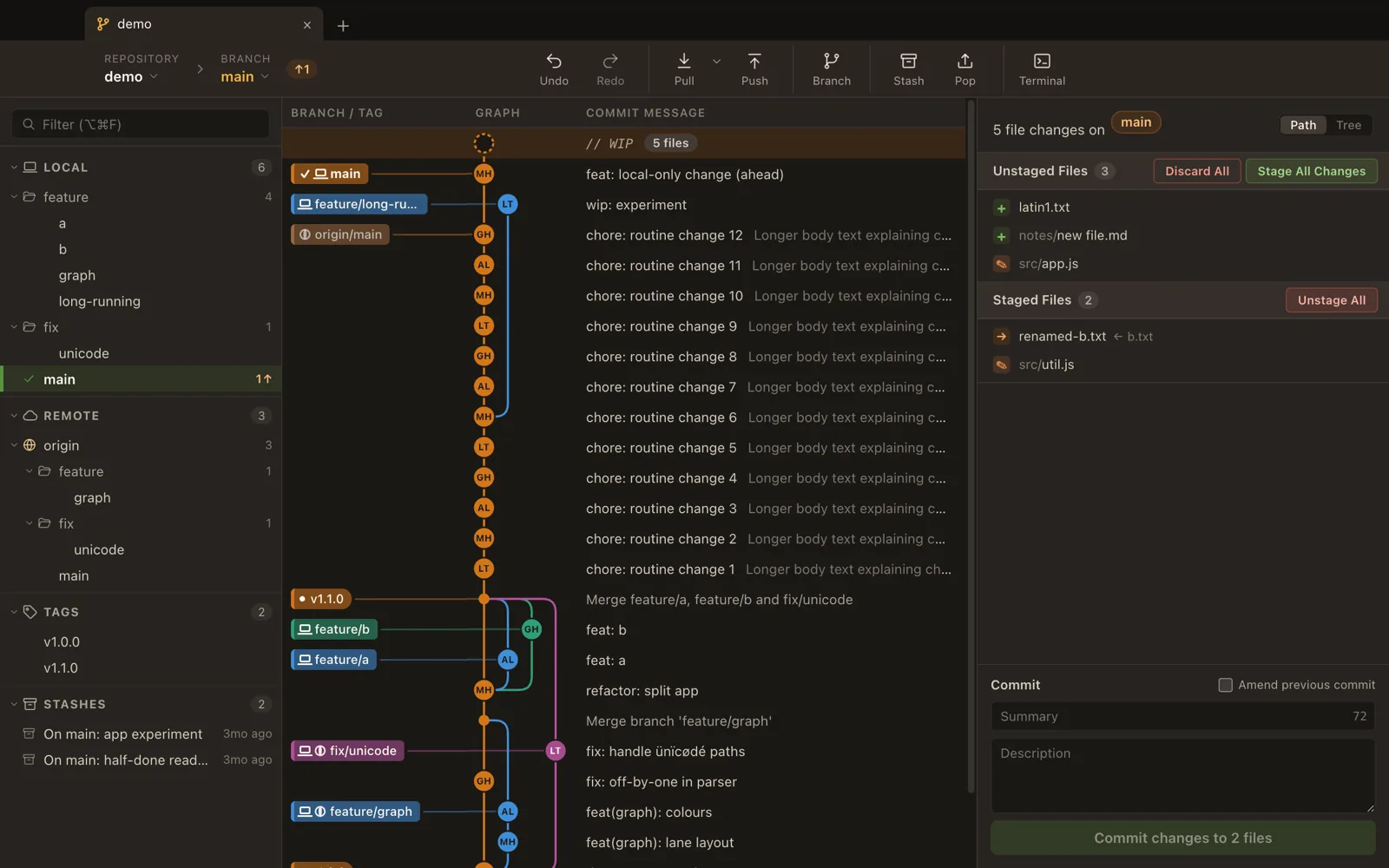
A minimal, graph-first desktop git client. The commit graph sits in the middle of the window, with your branches on the left and your working changes on the right. It runs your system git, so your existing SSH keys, credential helper and git config just work.
An early preview: expect rough edges.
What it does
- Commit graph. Lane-based graph with branch and tag labels and merge lines. History loads in pages, so large repositories open quickly.
- Staging. Stage, unstage and discard whole files, single hunks or selected lines. Discards are backed up, so they can be undone.
- Undo and redo. Commits, checkouts, branch deletes and discards, driven by the HEAD reflog.
- Merge and rebase. An interactive rebase editor with pick, reword, edit, squash, fixup and drop, plus Continue, Skip and Abort when there are conflicts.
- Remotes. Fetch, pull and push, with force-with-lease offered when a push is rejected. A running fetch, pull, push or rebase can be cancelled.
- Safety. Before opening a repository whose own git config or hooks would run commands, Pasta Lite asks you to trust it first.
Download
| Your Mac | File name ends in |
|---|---|
| Apple silicon (M1 and later) | -arm64.dmg |
| Intel | -x64.dmg |
- Download the latest release(opens in new tab)
- See all releases and release notes on GitHub(opens in new tab)
Not sure which one you have? Choose Apple menu → About This Mac: an Apple silicon Mac lists a “Chip” such as Apple M2, an Intel Mac lists a “Processor”. Open the DMG and drag Pasta Lite Git client to Applications.
The app is signed with a Developer ID and notarized by Apple, so it opens like any other app.
Requirements
- macOS 13 or newer.
- git 2.51 or newer, installed on your system. The git that ships with macOS is usually older, so install one with Homebrew (brew install git).
Or run it from source: see the README(opens in new tab).